





Android

Android App
Blackout VPN for Android is now live on Google Play. Install the app and connect using the private keys from your download link after purchase. No accounts and no tracking. The app stores nothing except the tunnels you import.
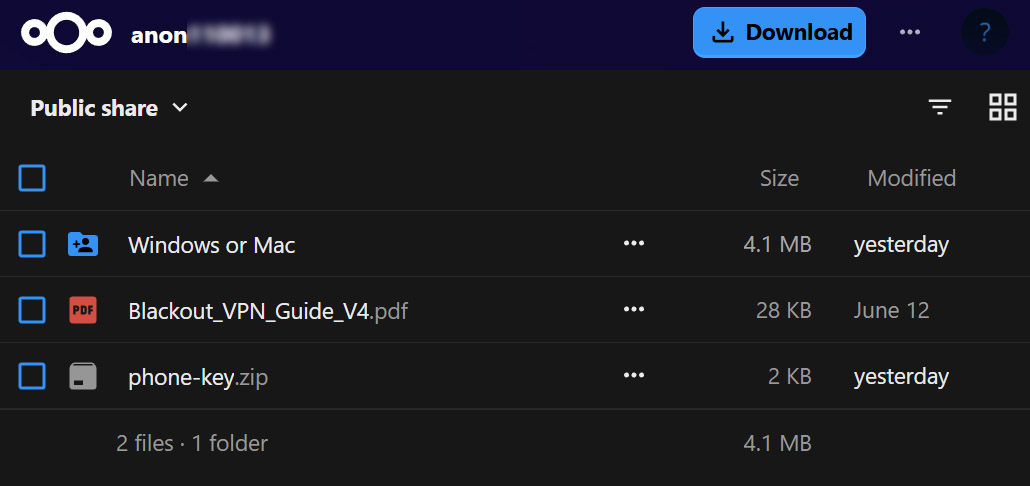
Your private keys are in one file, phone-key.zip. You import it into the app once,
and it stays on your device. Nothing is sent back to us and nothing is logged.
How to connect
- Install the Blackout VPN app from Google Play.
- Your phone needs just one file,
phone-key.zip. Click the three dots besidephone-key.zipor right-click it, and choose Download. - Open the app and choose import from file.
- Select
phone-key.zipand import it as it is. - Tap Activate to connect.
Get Blackout VPN for Android Install from Google Play, or sideload the APK straight from us. No account either way.
 Download APK
WireGuard
Alternatively, you can connect instantly using the official WireGuard app from Google Play.
Get WireGuard
How to connect
- Install the WireGuard app from Google Play.
- Open the app and tap the + button, then Import from file or archive.
- Select
phone-key.zipand import it as it is. - Tap the toggle to connect.